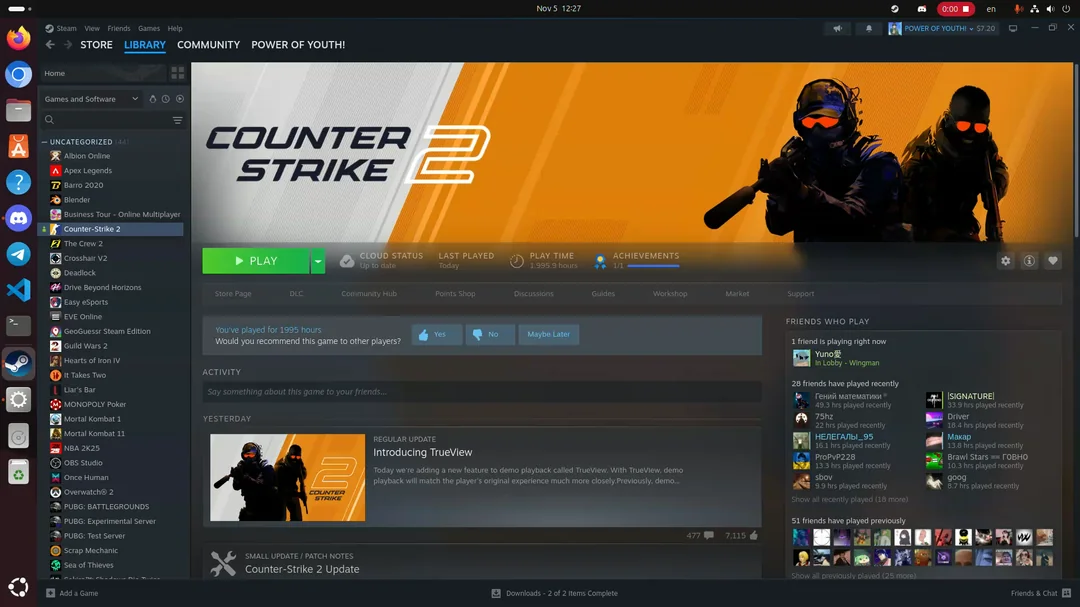
Steam Games on Ubuntu: Ubuntu Linux has evolved into a powerful gaming platform. Thanks to Valve’s support for Linux and major improvements in compatibility tools, you can now play many popular Steam titles — including CS2, Assassin’s Creed, and even demanding games like Black Myth — directly on Ubuntu.
Here’s everything you need to know about Steam game support on Ubuntu.
🎮 Steam on Ubuntu Linux
Valve Corporation officially supports Linux through the Steam client. Steam runs natively on Ubuntu, and with the help of Proton (a compatibility layer based on Wine), thousands of Windows games now run smoothly on Linux.
How to Install Steam on Ubuntu
- Open Terminal
- Run: sudo apt update
sudo apt install steam - Launch Steam and log in.
Once installed, enable Steam Play (Proton) in:
Steam → Settings → Compatibility → Enable Steam Play for all titles
🔥 Counter-Strike 2 (CS2) on Ubuntu
Counter-Strike 2 (CS2) works very well on Ubuntu.
- Runs via Proton
- Good performance with modern GPUs
- Competitive-ready with proper drivers
Make sure you install:
- Latest NVIDIA or AMD drivers
- Vulkan drivers
CS2 is one of the most optimized competitive shooters for Linux.
🗡 Assassin’s Creed on Ubuntu
The Assassin’s Creed series can also run on Ubuntu using Proton.
Popular titles like:
- Assassin’s Creed IV: Black Flag
- Assassin’s Creed Odyssey
- Assassin’s Creed Valhalla
Most Ubisoft titles work through Steam + Proton, though some may require:
- Ubisoft Connect launcher support
- Specific Proton versions (Proton Experimental often works best)
Performance depends on your hardware but is very playable on mid-range and high-end systems.
🐒 Black Myth: Wukong on Ubuntu
Black Myth: Wukong is a high-end Unreal Engine 5 game. While demanding, many Linux users report it works using:
- Proton Experimental
- Updated Vulkan drivers
- Latest Mesa (for AMD GPUs)
You’ll need a powerful GPU for smooth performance, but Ubuntu can handle it with the right setup.
💻 What You Need for Best Performance
For the best gaming experience on Ubuntu:
✔ Recommended Setup
- Ubuntu 22.04 LTS or newer
- 16GB RAM (recommended)
- SSD storage
- Updated GPU drivers
- Vulkan support enabled
✔ Optional Enhancements
- Gamemode (for performance optimization)
- Proton GE (community version of Proton)
- Lutris (for non-Steam games)
🎯 Thousands of Steam Games Work on Ubuntu
With Proton, Ubuntu supports:
- FPS games (CS2, Apex Legends*)
- RPG games (Elden Ring, Witcher 3)
- Open-world games (GTA V)
- Indie titles (Hades, Hollow Knight)
(*Some games with heavy anti-cheat may have limitations.)
Steam on Linux now supports thousands of games, and compatibility improves every year.
🚀 Why Choose Ubuntu for Gaming?
- Free and open-source
- Stable and secure
- No Windows license required
- Growing gaming support
- Strong community support
Gaming on Linux is no longer experimental — it’s practical and powerful.
Final Thoughts
Ubuntu has become a serious gaming platform. Thanks to Steam and Proton, you can enjoy:
- Counter-Strike 2
- Assassin’s Creed titles
- Black Myth: Wukong
- And thousands of other Steam games
If you have modern hardware and updated drivers, Ubuntu can deliver a smooth, high-quality gaming experience.
Linux gaming is no longer the future — it’s happening now. 🎮